

Your room booking tool
Eleo Workplace is much more than just a room booking tool: it’s a smart platform for planning, adjusting, and organizing your training sessions with precision and ease.
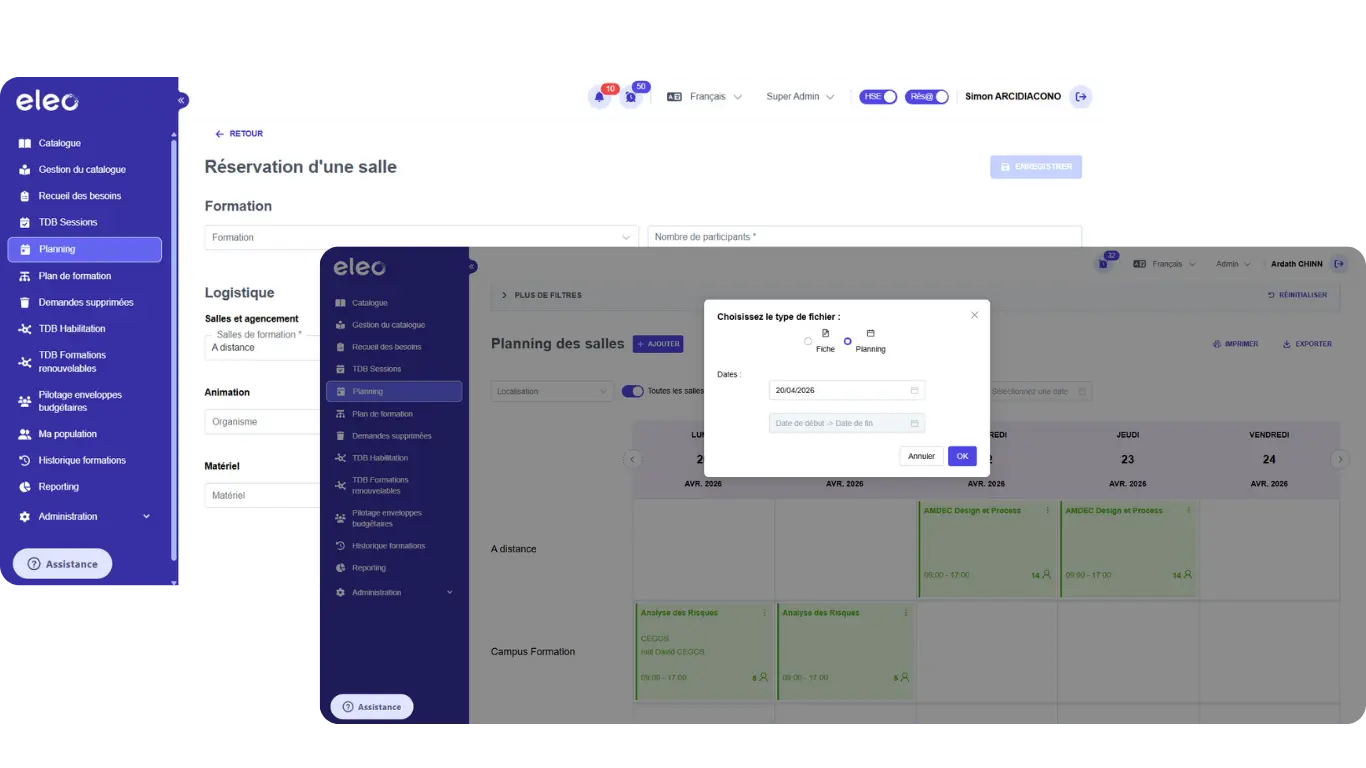
Is managing your room reservations time-consuming and difficult to handle on a day-to-day basis?
1
A schedule that’s hard to track and manage
Are your room reservations managed in Excel or spread across multiple tools? Without a centralized, filtered view, it becomes difficult to get a clear and reliable picture of your schedule.
2
Time-consuming reservation management
Does creating, editing, or duplicating a reservation take too much time and involve too many manual exchanges? Without a dedicated, responsive tool, every adjustment becomes a source of errors and wasted time in your day-to-day operations.
3
Data That’s Hard to Use and Share
Are your teams struggling to export, print, or analyze scheduling data? Without the right export and import features, reporting and information sharing become more complex and time-consuming.
Our features make it easy to manage and maintain your clearances!
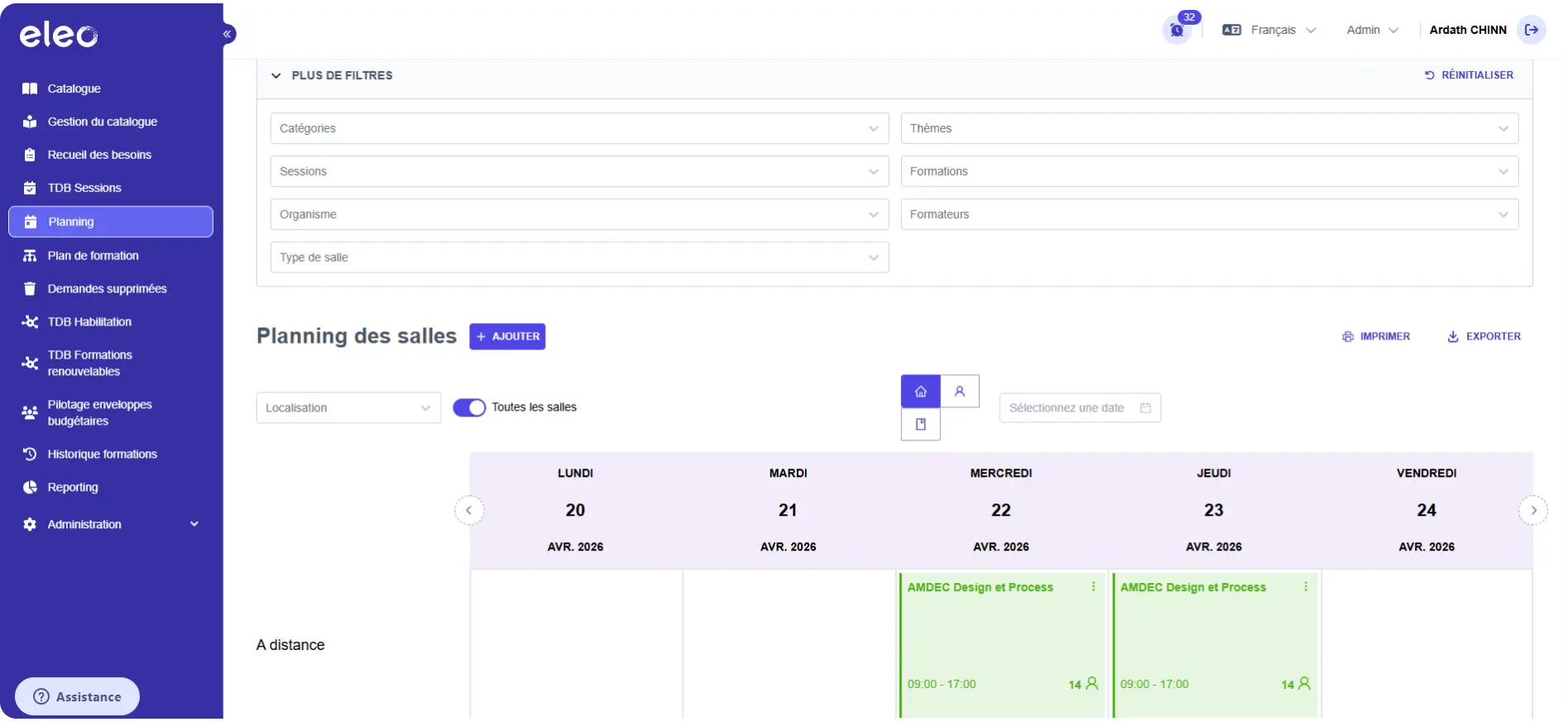
Overview of the Schedule
View all your training reservations in a clear, organized, and filterable layout. Whether past, current, or upcoming sessions, or filtered by room, location, instructor, or format: Eleo Workplace provides you with a consolidated, real-time view of your schedule, enabling agile planning without booking conflicts or duplicates.
Overview of the Schedule
View all your training reservations in a clear, organized, and filterable layout. Whether past, current, or upcoming sessions, or filtered by room, location, instructor, or format: Eleo Workplace provides you with a consolidated, real-time view of your schedule, enabling agile planning without booking conflicts or duplicates.
Creating & Managing Reservations
Create, edit, duplicate, or delete your training reservations in just a few clicks using an intuitive interface. Every action is tracked, secure, and directly synchronized with your training sessions, ensuring error-free room management and seamless integration with your scheduling data.
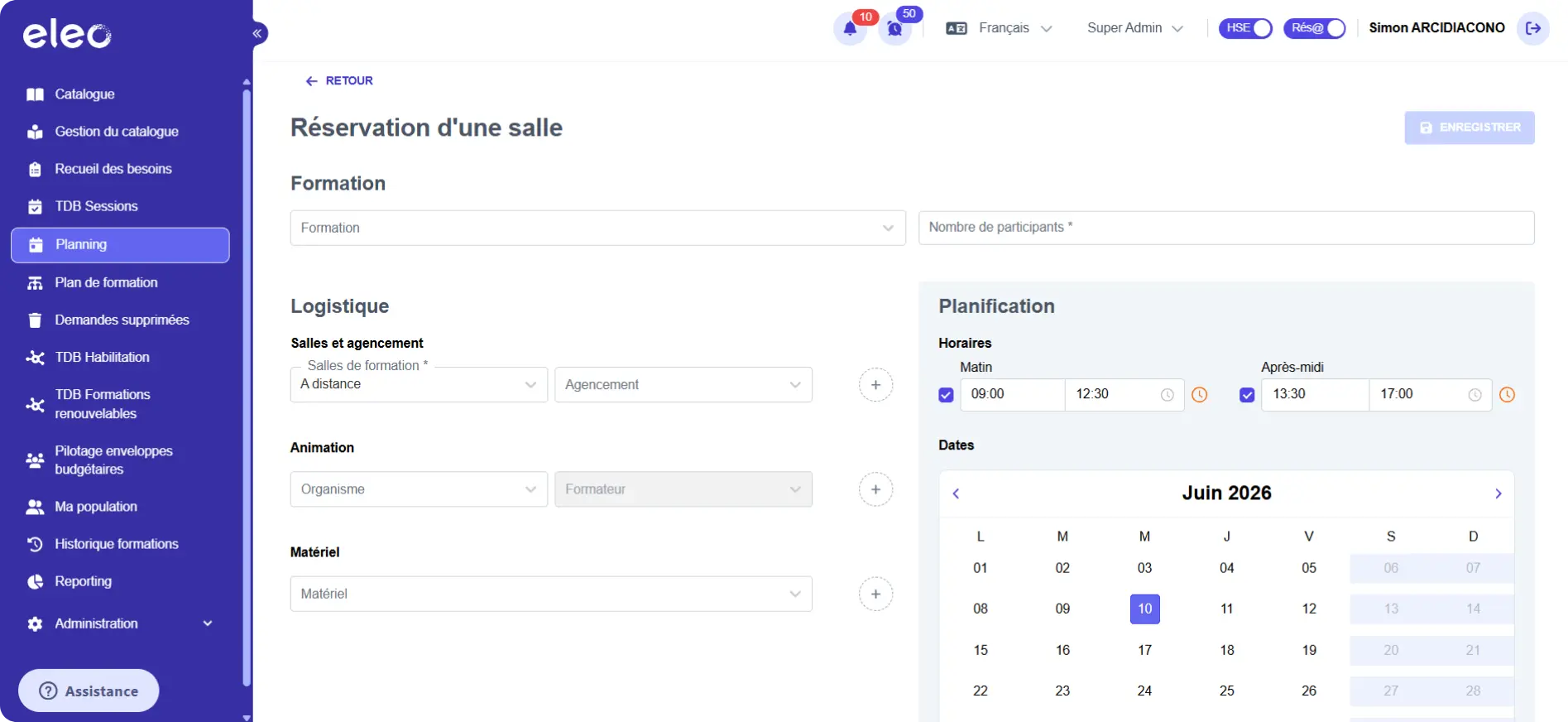
Creating & Managing Reservations
Create, edit, duplicate, or delete your training reservations in just a few clicks using an intuitive interface. Every action is tracked, secure, and directly synchronized with your training sessions, ensuring error-free room management and seamless integration with your scheduling data.
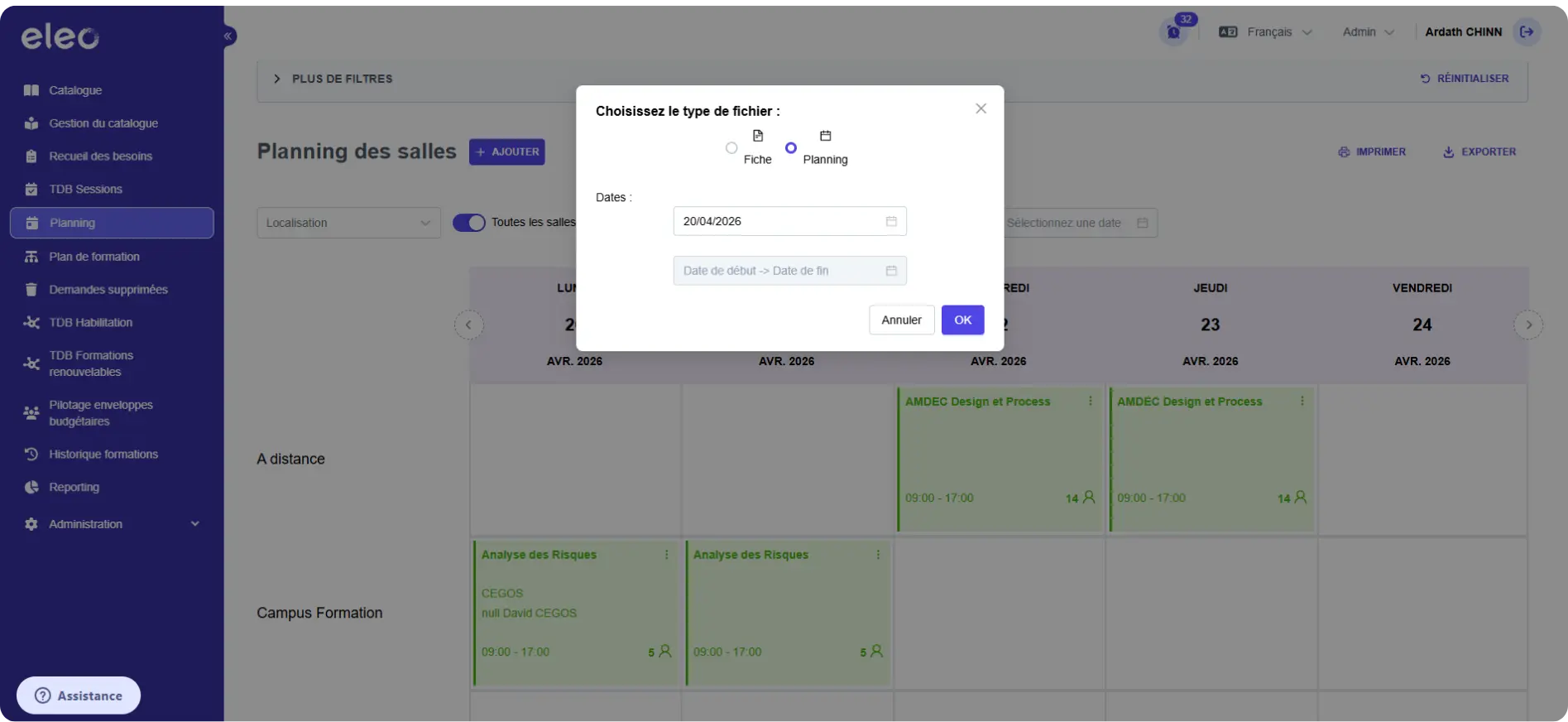
Make the Most of Your Schedules
Export your booking data to Excel, generate your schedules as PDFs, and bulk-import your sessions using structured files: Eleo Workplace provides all the tools you need to manage, share, and analyze your scheduling data, all within a modern and intuitive interface designed for users of all levels.
Make the Most of Your Schedules
Export your booking data to Excel, generate your schedules as PDFs, and bulk-import your sessions using structured files: Eleo Workplace provides all the tools you need to manage, share, and analyze your scheduling data, all within a modern and intuitive interface designed for users of all levels.
FAQ : ELEO Workplace

What is training room booking software?
Training room booking software is a digital tool that centralizes, schedules, and manages all bookings related to training sessions within an organization.
It provides a consolidated view of the schedule, makes it easy to create and modify bookings, and ensures data consistency across rooms, resources, and associated training sessions.
The goal is to eliminate the administrative friction associated with manually managing schedules, scattered Excel files, email exchanges, duplicate bookings, and booking conflicts, resulting in a smoother and more reliable day-to-day operation.
Why centralize room booking management in a dedicated tool?
Managing room bookings in Excel or across multiple tools leads to inconsistencies, booking conflicts, and unnecessary administrative overhead.
Centralizing in Eleo Workplace provides a single, reliable source to view all bookings in real time, filter by room, location, trainer, or session, and make scheduling decisions quickly—without juggling multiple files or risking duplicate bookings.
How can you avoid booking conflicts when managing training schedules?
Eleo Workplace provides a consolidated, real-time view of all bookings—past, current, and future sessions—with customizable filters to instantly identify availability and constraints.
The direct link between bookings and training sessions ensures data synchronization and eliminates the risk of data entry errors.
Every action is tracked, every change is documented, ensuring reliable schedule management regardless of the volume of training sessions.
Is it possible to manage room bookings for multi-site organizations?
Yes. Eleo Workplace is designed for multi-site organizations with a high volume of training sessions.
Search filters allow you to refine the display by site, room, or target audience, providing each training manager with a view tailored to their scope.
Central teams maintain an overview of all bookings, while each site has a clear view of its own schedule, without confusion or overlapping data.
How can you save time when creating and editing bookings?
Eleo Workplace lets you create a booking in just a few clicks using an intuitive interface, by entering the date, time, room, instructor, capacity, and required resources into a structured form.
Any existing booking can be edited or duplicated instantly, saving significant time when managing recurring or similar sessions.
Bulk importing of sessions via structured files further reduces manual data entry tasks for high-volume organizations.
How can you export and share training schedule data?
Eleo Workplace allows you to export all booking data to Excel for analysis, operational reporting, and budget tracking. Schedules can also be generated as PDFs or printed for on-site display or internal communication needs.
These export and import features cover all use cases without the need for manual reprocessing or third-party tools.
What is a bulk import of reservations, and when should you use it?
A bulk import involves adding a large number of sessions and reservations to the platform via structured files, without manual entry.
This feature is particularly useful during the initial deployment of the platform (importing historical data), during high-volume training campaigns, or when migrating from another tool.
It significantly reduces data integration time and minimizes the risk of errors associated with manual entry.
Is the tool suitable for users who are not very familiar with digital tools?
Yes. Eleo Workplace was designed with a modern, intuitive, and responsive interface, intended for quick adoption by all users, regardless of their level of familiarity with digital tools.
The user experience remains seamless even in multi-site environments or those with high training volumes, without the need for extensive training or prolonged technical support.

